 Parampreet Singh
Table of Content
- 1. Visual Studio is thcomprehensiveET IDE
- 2. Visual Studio Code: The Lightweight Cross-Platform Editor
- 3. JetBrains Ride - A powerful cross-platform IDE
- 4. ReSharper: Automated Code Refactoring and Quality.
- 5. Git & GitHub – Version Control and Collaboration
- 6. Azure DevOps CI/CD and Team Services
- 7. Docker – Containerization for Consistent Delivery
- 8. NuGet - .NET Package Management
- 9. Entity Framework Core Database Tools
- 10. Testing and QA tools (NUnit, Postman, Etc.)
- Many other tools are also important .NET development.
Digital Transform with Us
Please feel free to share your thoughts and we can discuss it over a cup of coffee.
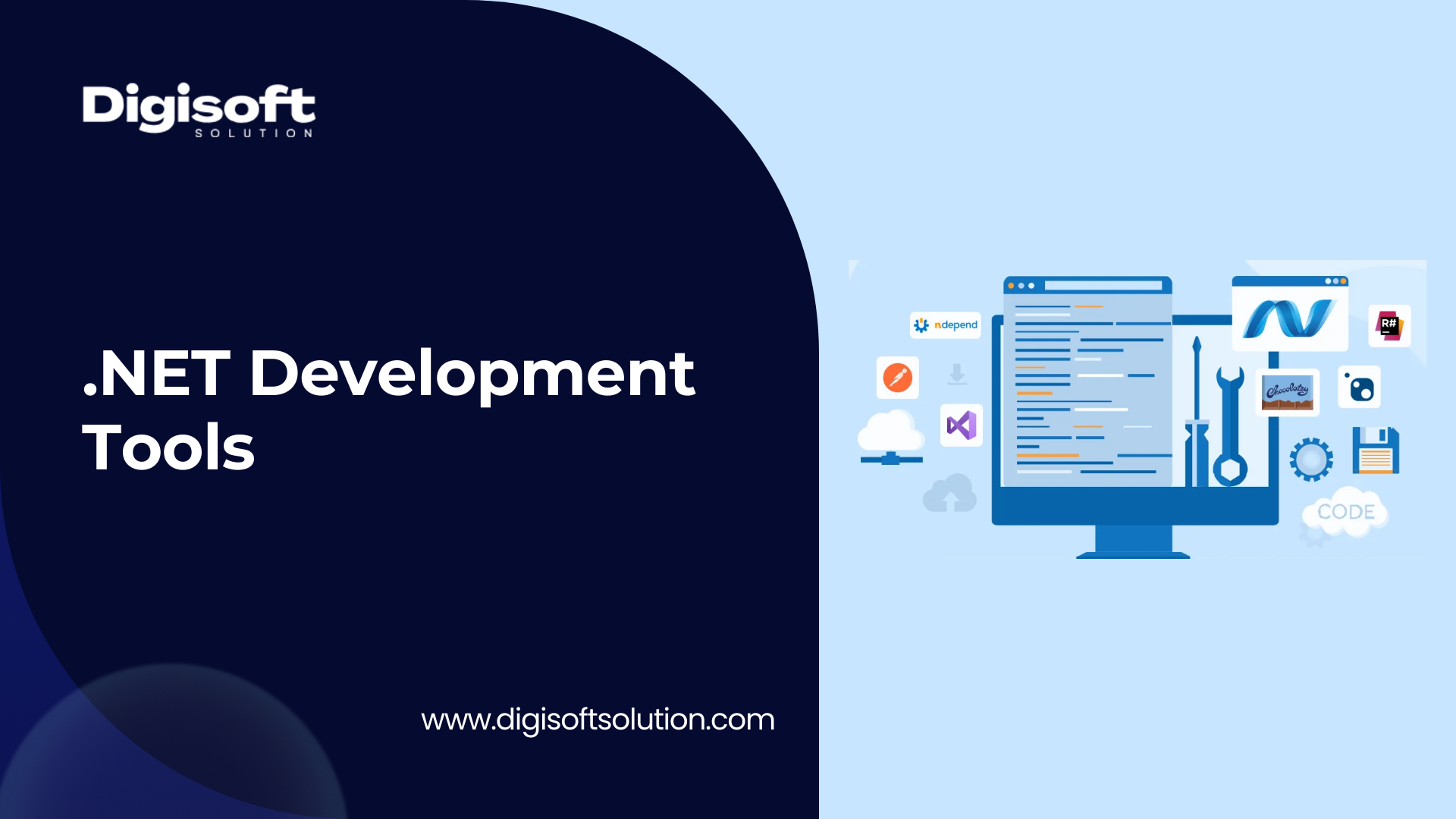
Modern .NET development is based on a rich ecosystem that helps developers solve complex issues efficiently. According to one expert, the best .NET tools "cut through complexity and streamline tasks". Powerful IDEs and libraries are essential for building enterprise web apps, mobile services, or cloud microservices. These tools increase productivity by automating repetitive tasks (e.g, code generation, testing, and refactoring) and providing feedback on code quality.
For example, Microsoft's Visual Studio 2022 added dozens of new features in 2023 to make coding "more productive, enjoyable, and accessible". The sections below explore ten essential tools from the .NET Developer's Toolkit and explain why each tool helps you create better software.
1. Visual Studio is thcomprehensiveET IDE
Microsoft Visual Studio is a flagship Integrated Development Environment for .NET. It provides end-to-end C#, VB.NET, and F# support, as well as a powerful debugger, design, and testing tools in one package. Visual Studio's editor features IntelliSense, which is a code completion tool that highlights syntax and speeds up the coding process. The editor integrates into .NET frameworks and project templates. For example, the built-in designers allow you to drag-and-drop controls onto desktop or web forms. Visual Studio includes new collaborative features, such as Live Share. This allows team members to edit and debug code in real time, even if they're thousands of miles away. Microsoft's highlights that the recent VS 2022 update has added GitHub integration, including pull requests and issue search, as well as performance improvements. This makes coding "more productive, fun, and accessible".
- IntelliSense & Editor - Advanced autocompletion and syntax checking for C#/F#/VB.
- Integrated Debugging - Visual Studio's integrated debugger allows you to step through.NETcodes and diagnose issues.
- Collaboration: Live Share allows remote .NET developers to co-edit and debug projects in real-time, avoiding costly screen sharing.
- Extensions & tools: You can customize the IDE with a rich marketplace of extensions, from Resharper and Azure Tooling to Resharper. Integrating Azure DevOps/GitHub into the IDE makes it easy to set up CI/CD and version control.
Visual Studio is a powerful tool that offers a wide range of features, from code editing to publishing.
2. Visual Studio Code: The Lightweight Cross-Platform Editor
Visual Studio Code is a popular open-source, free code editor that Microsoft offers. It has gained a lot of popularity aamong .NETprogrammers. VS Code, unlike the full Visual Studio IDE, is lightweight and can be used on Windows, macOS, or Linux. Despite its simplicity, it is extremely powerful when developing .NET applications. Installing the C# (OmniSharp) or the C# Dev Kit will give developers C# and F# support, as well as debugging and project management, right within VS Code. VS Code is known for its extensibility - there are thousands of extensions available for .NET development and web development(for example,e for ASP.NET Core and Docker). The editor has a built-in integration with Git, allowing you to perform commits and merges from the code window.
- Cross-Platform & Quick: Works on any OS, and launches in just seconds. Ideal for small .NET Core/Blazor or quick edits.
- Extensions are plentiful: A large marketplace of extensions provides debugging tools, AI assistance, and language services. You can add GitHub Copilot to get AI code suggestions.
- VS Code .NET Core/.NET5/6/7 natively - you can create new projects, build them, and attach a debugger to console, web, or cloud apps.
- Integrated Git: Git's built-in features allow you to commit and push changes. You can visualize branches and resolve merging conflicts without changing tools.
- VS Code, in summary, is a powerful tool for .NET programmers who need a modular, fast editor. Its performance and extensibility make it "essential", especially for workflows in mixed-language or cross-platform environments.
3. JetBrains Ride - A powerful cross-platform IDE
JetBrains Rider, a popular .NET IDE alternative, runs on Windows, macOS, and Linux. Rider is built on IntelliJ's platform and offers many of the advanced coding features that ReSharper provides (which comes integrated with the product). It also adds tools for enterprise use. Rider has built-in tools for managing databases such as SQL Server, PostgreSQL, and others directly from the IDE. It has excellent debugging and profiler support for large codebases. JetBrains notes that Rider excels at cross-platform performance and offers unique features such as native Kubernetes (container orchestration) and the smooth handling of large solutions.
- Cross-Platform: Works on all major OSs. Ideal for teams who use mixed environments.
- Rider's Advanced Debugging allows you to efficiently debug large applications .NET projects, including ASP.NET Core (including Xamarin).
- Docker & Database: Integrated UIs for queries and database schemas, plus integration with Docker/Kubernetes, means you can manage data sources without having to leave the IDE.
- Refactoring and Analysis: Includes ReSharper's code analysis features.
Rider is the best choice for enterprise teams who require cross-platform compatibility and world-class code analysis. The deep .NET knowledge and additional tooling (Docker, database tooling) simplify complex projects.
4. ReSharper: Automated Code Refactoring and Quality.
ReSharper is an extension to Visual Studio by JetBrains that improves the code-editing features. It analyzes your code continuously as you type to identify errors, code smells, or possible improvements. ReSharper offers hundreds of automated refactorings, quick fixes, and other features. Routine tasks (such as renaming classes or extracting the interface) can be accomplished with just one click. It can also generate boilerplate code for you (properties and overrides). It can save developers time by recognising patterns. ReSharper transforms Visual Studio into an innovative IDE. You can find methods instantly, navigate to symbols, or reorder parameters without having to search manually. ReSharper keeps code clean by catching errors early and enforcing standards.
- Real-Time Code Analysis: Highlights errors as you type C#/VB/F# and suggests solutions on the fly.
- Refactorings: Automate repetitive changes (renaming, moving, extracting methods, etc. Reducing manual errors by a significant amount.
- Navigation: Jump to any type of file or member within a solution. ReSharper’s search is more efficient than the stock IDEs.
- Unit Test Runner: Test runner built-in for NUnit and xUnit frameworks. Results are displayed in the editor.
ReSharper improves developer productivity in general by eliminating tedious tasks so that you can concentrate on solving real issues. It is especially useful for large codebases or teams that enforce consistent code standards.
5. Git & GitHub – Version Control and Collaboration
Version control is essential to every development workflow. Git is often used for .NET projects, and it's hosted on GitHub, Azure DevOps, or GitLab. Git keeps track of every change made to your code so that you can experiment safely, make mistakes, and collaborate simultaneously. Acendeo says that Git is "a safety net" for all changes, allowing developers the ability to easily recover older versions. It allows for branching and merging to be done seamlessly. This allows multiple developers to work simultaneously on new features or bug fixes. Git's diff and merge tools can help resolve conflicts when one developer's change conflicted with another. Git's distributed architecture is important for enterprise teams because it ensures that everyone has the same version of history. This prevents single points of failure.
- Distributed Version Control (DVC): Each developer has the entire repo on their local machine, so they can continue working offline. Data integrity is protected by cryptographic hashes.
- Collaboration: Remote hosting, such as GitHub or Azure Repos, supports pull requests (code reviews), issue tracking, and team access control. Git's simultaneous editing model "fosters a continuous collaborative environment".
- History & Branching - Easy branching allows teams to develop features in isolation. Git's "test-case environment" lightweight branches let you try out changes without risk.
- Security: Git commits based on SHA ensure the integrity and history of the commits, giving teams the confidence that their codebases have not been tampered with.
By using Git in conjunction with a hosted service, .NET teams are able to coordinate development across multiple locations, enforce review procedures, and integrate with CI/CD workflows automatically. Tools such as GitHub Desktop, GitKraken, or the integrated Visual Studio/GitHub interfaces simplify everyday tasks like cloning, committing, and pushing. Git is the best way to keep your team on track and your code secure.
6. Azure DevOps CI/CD and Team Services
Azure DevOps, formerly Team Foundation Server/VSTS, is Microsoft's suite for managing application lifecycles. It has become a standard tool among .NET teams. At its core, Azure DevOps provides cloud-hosted Continuous Integration/Continuous Deployment (CI/CD) pipelines, Agile planning tools, and artifact repositories. It allows teams to build and test .NET apps on every commit, deploy them onto servers or the cloud, and track all work items in one location. Azure DevOps 2025 editions will even include AI "agenttic workflows" which can automate bug fixes, documentation, or feature development. Smart agents can automate some routine tasks, such as generating release notes and running tests.
- CI/CD Pipeline: Create YAML or Visual pipelines for building, testing, and deploying .NET applications. Supports multi-platform builds (Windows/Linux/macOS) and integrates with Git repos.
- Agile Tools: Kanban boards and built-in backlogs help organize large projects. Work items (tasks or bugs) are linked directly to code commits and testing.
- Smart Automation: AI-driven features enable intelligent automation of tasks, such as automatically assigning reviewers or triaging failed tests, or generating merge requests.
- Extensibility: Connects to GitHub, Docker, Kubernetes, Azure, and other tools.
Azure DevOps centralises builds and releases to ensure that all team members have the latest version of software. Automation of testing and deployments catches issues earlier, leading to a higher level of quality. In sum, Azure DevOps streamlines team workflows, from idea to production.
7. Docker – Containerization for Consistent Delivery
Docker "revolutionised' development by allowing you to package .NET application and all of its dependencies in a container – a lightweight, isolating environment. Docker lets you create an image containing your app, the .NET runtime, and libraries, as well as any OS-level dependency. This ensures that the application will run in the same manner on any machine, whether it is a developer laptop, test server, or cloud VM. It effectively eliminates the "works on my computer" problem. Docker containers are much more resource-efficient than virtual machines and can be created or scaled up in a matter of seconds. Microsoft offers an official .NET Docker image optimised for performance. Docker also integrates well with tools such as Kubernetes to manage many containers in production.
- Environment Consistency: Developers are able to run the same Docker images locally and in production. This ensures identical configurations.
- Containers can be started and stopped quickly. They support microservice architectures, where each service is isolated into its own container.
- Dockerfiles allow you to build .NET applications on Windows, Linux, and other platforms. You can also switch images without rewriting any code.
- Docker eliminates bugs related to the environment by encapsulating OS versions and dependencies. This allows developers to focus on new features.
Docker simplifies the deployment and scaling of enterprise .NET applications. Docker Compose, for example, can be used to orchestrate multiple .NET Services (APIs, databases, caches) locally and then deployed to Azure Kubernetes Service. This results in a smoother DevOps process and fewer surprises during production.
8. NuGet - .NET Package Management
NuGet is .NET's official package manager. It is a central repository that contains thousands of libraries, or packages. You can add them to your project easily. NuGet allows developers to install packages using a single command, instead of downloading and referencing the DLLs manually. NuGet simplifies dependency management by allowing you to update a library with just one click or command. NuGet also ensures that all dependencies required are included. NuGet is tightly integrated into Visual Studio .NET Command Line Interface, and build scripts.
- Central Repository: Search and install libraries, e.g., Nuget.org's official feed includes Newtonsoft.Json (Serilog, Entity Framework), Serilog, and Entity Framework.
- Easy Updates: NuGet will update all dependencies to compatible versions, reducing “dependency hell.” A GUI in Visual Studio or the NuGet update command line makes bulk updates simple.
Project Consistency - Package references (in packages.config or.csproj) will ensure that everyone in the team is using the same library version. - Integration: Works both in Visual Studio and VS Code, and can be automated within CI pipelines. NuGet restore before building.
NuGet automates library management to allow developers to use Microsoft and community libraries without manual effort. NuGet keeps your projects up to date with the latest patches and maintainable. NuGet allows you to spend less time copying and more time coding.
9. Entity Framework Core Database Tools
Many .NET applications are built around data. Entity Framework Core is Microsoft's Object-Relational Mapping library, which allows .NET programmers to interact with databases through C# classes. EF Core simplifies data access. You define your data model using code,e and the library translates that into SQL queries. The upcoming EF Core 9 will bring performance improvements, such as faster query compiling and better support of complex types. Also, it adds features such as enhanced migrations for evolving your database schema. SQL Server Management Studio (SSMS), the tool of choice for designers and DBAs, is for SQL Server. SSMS is a graphical tool that allows you to manage SQL Server databases. You can also write SQL queries and debug them, as well as configure security. It is able to connect to Azure SQL or on-premises SQL databases. This gives a complete picture of your database environment.
- EF Core ORM: Eliminates the majority of boilerplate SQL. EF Core will translate LINQ queries written in C#. EF Core 9 promises faster performance for some workloads. It also includes a blog and improved support for modern data types.
- Code-First migrations: Generates automatically scripts that update your database whenever your C# data models change, preventing manual schema shift.
- SSMS/Data Studio: SQL Server Management Studio provides query editing, performance optimization, and visual reporting. This is a single-stop tool to administer .NET backends.
- LINQPad: This tool allows you to quickly explore data or prototype using C#/LINQ. The results are instant.
These tools work together to handle "data plumbing" for .NET applications. EF Core automates CRUD operations to solve the problem with tedious data code, while SSMS offers a user-friendly console for database maintenance.
10. Testing and QA tools (NUnit, Postman, Etc.)
Enterprise software development must be robustly tested. Unit testing frameworks such as NUnit and xUnit.nefor.NETET are essential. These frameworks allow developers to automate and write tests that verify code is working as intended. Acendeo says that exhaustive unit tests ensure the robustness of the application before final deployment. The tests are run each time the code is changed (typically in a CI pipeline) to detect regressions as early as possible. NUnit’s assert-based test style allows you to easily specify expected results and identify failures.
API testing for .NET Web Services is essential. Postman is the tool of choice for this. It has an intuitive interface that allows you to create HTTP requests, simulate calls, and check responses. You can create collections of requests, test them automatically, or even mock endpoints. Postman's AI assistants can automatically generate test scripts and documentation. Postman, for example, can create automated tests to test all API endpoints. This saves developers time and ensures consistency.
- Unit testing frameworks: NUnit/xUnit to automate unit and integration tests. By validating logic in isolation, they help to catch bugs early. They are executable code and run as part of CI.
- API Testing (Postman). Create and run tests on your .NET Web APIs. Postman's collections and environments allow teams to share their tests. Newman CLI can be integrated into CI/CD to catch API regressions before deployment.
- Code Coverage: Tools such as Coverlet or Visual Studio’s built-in analysers measure the fraction of code that is tested, highlighting areas which are not.
- Code Quality (SonarQube and NDepend), optional but useful; these analyze code for style, complexity, and security concerns. SonarQube AI-driven analysis predicts code smells even before they become bugs.
Teams can ensure that their .NET applications remain reliable by combining API tests with unit tests. This "early detection of problems" is important, as [Acendeo] points out. It prevents expensive post-release fixes. These tools make quality assurance a repeatable and efficient process, rather than a last-minute afterthought.
Other Important .NET Tools
Many other tools are also important .NET development.
- LINQPad is an interactive scratchpad for C#/LINQ. You can write C# or queries and immediately see the results. It is useful for prototyping and testing small pieces without having to build a complete project.
- Fiddler (Telerik) is a powerful web debugging tool for capturing and analyzing HTTP(s) traffic. It can help solve integration problems by showing what data is being sent and received.
- xUnit.net is a modern alternative to NUnit. It's favored by many .NET Core developers because of its design. Offers similar unit testing capabilities.
- SonarQube is a code-quality dashboard that continuously scans for bugs, vulnerabilities, and code smells. It promotes clean coding standards.
- OzCode is a Visual Studio extension for enhanced debugging. (Predictive debugging and search memory, etc.). To find the root causes quickly.
- Blazor is a .NET framework that allows you to build interactive web UIs using C# rather than JavaScript. Blazor simplifies .NET full-stack development by using a single language for client and server code.
- SQL Server Management Studio is the GUI used to manage SQL Server databases, whether they are on-premises or Azure.
- The .NET command-line tools provide tooling to build, test, and publish .NET apps from scripts or terminals. It eliminates the need to automate outside of IDEs.
- Other .NET languages have editors like LINQPad or Visual Studio Mac.
Each tool addresses a specific challenge: accelerating queries (LINQPad), diagnosing networking issues (Fiddler), ensuring the code's health (SonarQube/NDepend), or enabling full-stack C# development. These tools complement the core toolkit by filling gaps that other tools may not be able to cover.
Digital Transform with Us
Please feel free to share your thoughts and we can discuss it over a cup of coffee.





















 Kapil Sharma






























































 Digisoft Solution